Strict Image Link Checking for Banner Ads
The Strict Image Link Checking feature ensures that banner ads use valid, direct image URLs. When this feature is enabled, our system verifies that the banner link your user provide points directly to an actual image file such as .jpg, .jpeg, .png, or .gif.
This helps maintain reliability and prevents non-image or potentially unsafe links from being used as banner images.
However, some safelists or mailer platforms serve banner images through scripts such as .php or other dynamic URLs instead of direct image files. When Strict Image Link Checking is enabled, these types of links may be blocked because they are not recognized as direct image files.
If you find that valid banner ads are being blocked due to this behavior, you can disable this option so the system will accept banner links served through scripts or other dynamic URLs.
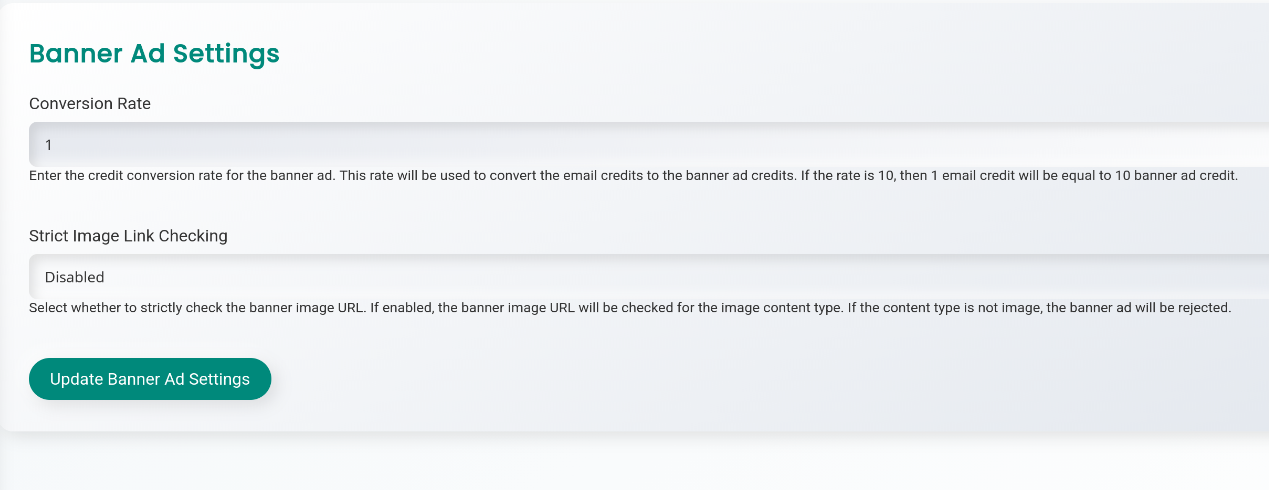
How to change this setting:
- Go to your Admin Panel.
- Navigate to Banners Ads >> Banner Ad Settings.
- Enable or disable Strict Image Link Checking as needed.
Summary:
- Enabled: Only direct image URLs are allowed for banner ads.
- Some safelists/mailers using
.phpor similar links may be blocked. - Disabled: Allows banner links that use scripts or non-standard image URLs.